
Community
Share your experience!
Turn on suggestions
Auto-suggest helps you quickly narrow down your search results by suggesting possible matches as you type.
Showing results for
- Community
- PC & eReading
- eReaders
- How to register a PRS-600.
Options
- Subscribe to RSS Feed
- Mark Topic as New
- Mark Topic as Read
- Float this Topic for Current User
- Bookmark
- Subscribe
- Mute
- Printer Friendly Page
How to register a PRS-600.
SOLVED

- Mark as New
- Bookmark
- Subscribe
- Mute
- Subscribe to RSS Feed
- Highlight
- Report Inappropriate Content
April 2014
April 2014
Hi all,
I hope you can help.
I have just purchased a 2nd Hand PRS-600 which was not de-registered. So I hard reset it and it now shows as unregistered.
I have a new lap top with WIn 8.1 that I am just getting used to.
I have loaded "Reader Library" and it all seems to work OK.
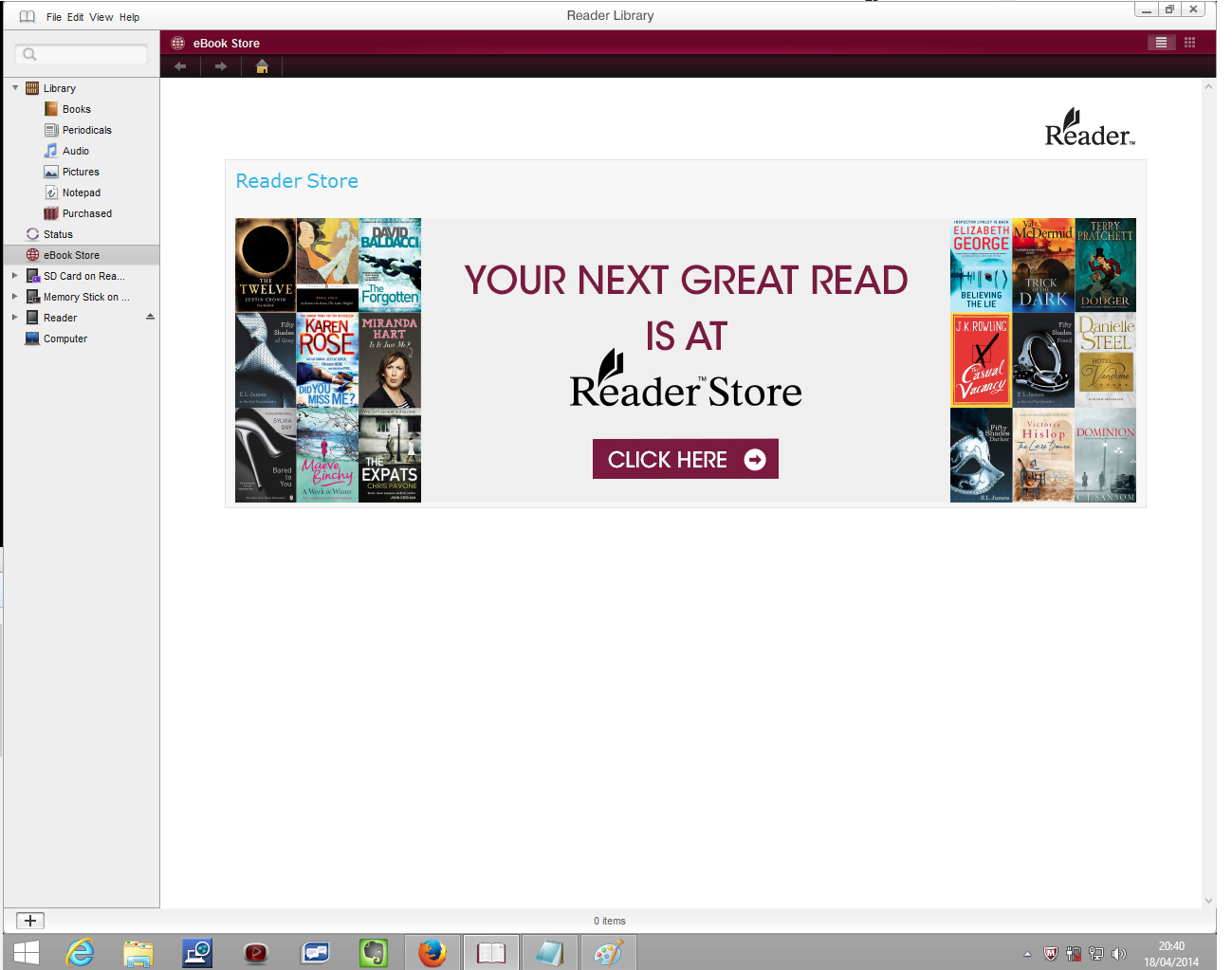
When I click on "eBook Store" I can see the Splash page with click here, but clicking on it does nothing.
Can anyone help?
Thanks. Paul.
Solved! Go to Solution.
2 ACCEPTED SOLUTIONS
Accepted Solutions


- Mark as New
- Bookmark
- Subscribe
- Mute
- Subscribe to RSS Feed
- Highlight
- Report Inappropriate Content
April 2014
April 2014
If you haven't found it, the search terms "Register a Sony PRS 600" takes you to the Sony support section for the 600, where it shows an update from November 2013.
This may be of help.
Not quite clear if you succeeded in registering the device , but you would, I hink, also need to register your PC with Reader Store.
Sorry I have no experience of this model, but perhaps another member can help who may still be using one ?
- Mark as New
- Bookmark
- Subscribe
- Mute
- Subscribe to RSS Feed
- Highlight
- Report Inappropriate Content
April 2014
April 2014
Thanks for the reply. You are correct. Instead of using the Library software that comes with the reader. I went to the Sony download site for the PRS-600
Link is here: https://www.sony.co.uk/support/en/product/PRS-600
and followed the links through to the new edition of the library software.
Link is here: https://www.sony.co.uk/support/en/content/cnt-dwnl/prd-ebo/sony-reader-software-update-ver2200_11270...
Once I had removed the old software and loaded this one then did battle with Adobe trying to remember my old password, it seems to be working fine. It has registered my PC and my reader. So I should be good to go now.
Thanks for the quick reply.
4 REPLIES 4
- Mark as New
- Bookmark
- Subscribe
- Mute
- Subscribe to RSS Feed
- Highlight
- Report Inappropriate Content
April 2014
April 2014
Here is a screen dump of how far I get...
- Mark as New
- Bookmark
- Subscribe
- Mute
- Subscribe to RSS Feed
- Highlight
- Report Inappropriate Content
April 2014
April 2014
If you haven't found it, the search terms "Register a Sony PRS 600" takes you to the Sony support section for the 600, where it shows an update from November 2013.
This may be of help.
Not quite clear if you succeeded in registering the device , but you would, I hink, also need to register your PC with Reader Store.
Sorry I have no experience of this model, but perhaps another member can help who may still be using one ?
- Mark as New
- Bookmark
- Subscribe
- Mute
- Subscribe to RSS Feed
- Highlight
- Report Inappropriate Content
April 2014
April 2014
Thanks for the reply. You are correct. Instead of using the Library software that comes with the reader. I went to the Sony download site for the PRS-600
Link is here: https://www.sony.co.uk/support/en/product/PRS-600
and followed the links through to the new edition of the library software.
Link is here: https://www.sony.co.uk/support/en/content/cnt-dwnl/prd-ebo/sony-reader-software-update-ver2200_11270...
Once I had removed the old software and loaded this one then did battle with Adobe trying to remember my old password, it seems to be working fine. It has registered my PC and my reader. So I should be good to go now.
Thanks for the quick reply.
- Mark as New
- Bookmark
- Subscribe
- Mute
- Subscribe to RSS Feed
- Highlight
- Report Inappropriate Content
April 2014
April 2014
Glad I could help 

0online
1904208posts